Play Super Mario Bros. Deluxe Online

-
PlatformGame Boy Color
Game languageSimplified Chinese
StatusReady to play
InputKeyboard / gamepad
Game description
The Game Boy Color conversion of the original Super Mario Bros., adapted to a smaller screen with added modes.
Why this version
This entry is the Game Boy Color Simplified Chinese release, useful if you want to confirm the platform and interface language before starting.
How to approach it
Short sessions work well here. Use the keyboard or a gamepad, learn one stage at a time, and save in-game where the game allows it before closing the tab.
Super Mario Bros. Deluxe brings the original Super Mario Bros. to Game Boy Color with a scrolling camera that compensates for the narrower screen. It adds a challenge mode with hidden coins and medals alongside the standard eight-world campaign.
Play highlights
超级马里奥 is a Game Boy Color entry with cover art, language details, play page, and related recommendations available before starting.
Handheld controls
- Jump / confirm
- Z
- Run / cancel
- X
- Start / pause
- Enter
- Move
- Arrow keys
Connect a controller, press any button, then focus the game screen.
Open the emulator menu to adjust keyboard and gamepad bindings.
Related games
-
 Guide
Super Mario Land
Game Boy · Simplified Chinese
Guide
Super Mario Land
Game Boy · Simplified Chinese
-
 Guide
Super Mario Land 2: 6 Golden Coins (Color Edition)
Game Boy Color · Simplified Chinese
Guide
Super Mario Land 2: 6 Golden Coins (Color Edition)
Game Boy Color · Simplified Chinese
-
 Guide
Super Mario Bros.
NES / Famicom · Chinese
Guide
Super Mario Bros.
NES / Famicom · Chinese
-
 Guide
Pokemon Crystal
Game Boy Color · Simplified Chinese
Guide
Pokemon Crystal
Game Boy Color · Simplified Chinese
-
 Guide
Pokemon Crystal
Game Boy Color · Traditional Chinese
Guide
Pokemon Crystal
Game Boy Color · Traditional Chinese
-
 Guide
Pokemon Gold
Game Boy Color · Traditional Chinese
Guide
Pokemon Gold
Game Boy Color · Traditional Chinese
-
 Guide
Pokemon Mystery Dungeon: Red Rescue Team
Game Boy Advance · Simplified Chinese
Guide
Pokemon Mystery Dungeon: Red Rescue Team
Game Boy Advance · Simplified Chinese
-
Guide
Pokemon Mystery Dungeon: Red Rescue Team
Game Boy Advance · Simplified Chinese
-
 Guide
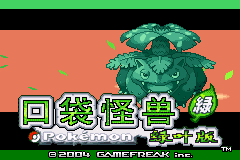
Pokemon LeafGreen
Game Boy Advance · Simplified Chinese
Guide
Pokemon LeafGreen
Game Boy Advance · Simplified Chinese
-
Guide
Pokemon LeafGreen
Game Boy Advance · Simplified Chinese
-
 Guide
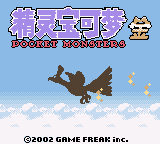
Pokemon Gold
Game Boy Color · Simplified Chinese
Guide
Pokemon Gold
Game Boy Color · Simplified Chinese
-
 Guide
Pokemon Silver
Game Boy Color · Traditional Chinese
Guide
Pokemon Silver
Game Boy Color · Traditional Chinese